
 English
 العربية
 বাংলা
বাংলা
 Deutsch
 Español
 Français
 Italiano
 Português
 Русский
 Türkçe
 Tiếng Việt

JPG to ICO Converter
Convert JPG images into ICO icons in all sizes for favicon and apps






Convert JPG to ICO Online Instantly (All Sizes)
The JPG to ICO Converter is a fast and free online tool that helps you convert JPG to ICO easily. You can upload your JPG image or use a remote URL and generate ICO icon files in multiple sizes within seconds.
This tool is perfect for creating favicon icons, app icons, and website branding assets.
What is JPG to ICO Conversion?
JPG to ICO conversion means converting a JPG image into ICO format. ICO files are used for icons in browsers, software, and operating systems.
Unlike normal images, ICO files can contain multiple sizes in a single file.
Available Icon Sizes
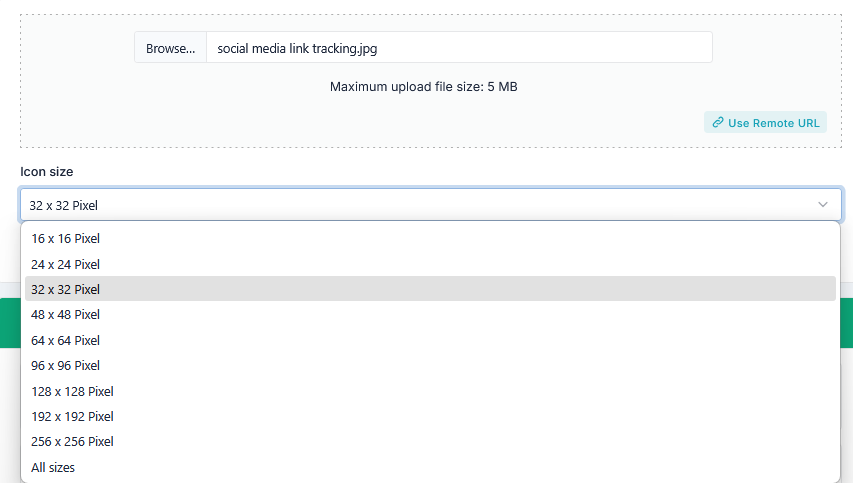
This JPG to ICO Converter supports all standard icon sizes:
- 16×16 px – Browser favicon
- 24×24 px – Small UI icons
- 32×32 px – Desktop icons
- 48×48 px – Windows icons
- 64×64 px – Application icons
- 96×96 px – High resolution icons
- 128×128 px – App icons
- 192×192 px – Android/web icons
- 256×256 px – High-quality icons
- All Sizes – Generate all sizes in one ICO file
How to Use JPG to ICO Tool
- Upload your JPG image (maximum size: 5 MB) or use a remote URL
- Select icon size or choose All Sizes
- Click the Convert button
- Preview the ICO icon
- Download the ICO file instantly
Why Convert JPG to ICO?
ICO files are essential for websites and apps. The JPG to ICO Converter helps create professional icons easily.
- Create favicon for websites
- Generate app icons
- Support multiple icon resolutions
- Improve branding and design
- Ensure browser compatibility
In addition, ICO files are required for browser tabs and shortcuts.
How This Tool Helps You
This JPG to ICO Converter simplifies icon creation.
- Convert JPG to ICO instantly
- Create favicon in all sizes
- Preview before download
- Works with upload or URL
Key Features of JPG to ICO Tool
- Convert JPG to ICO in all sizes
- Supports 16x16 to 256x256 pixels
- All sizes option in one click
- Supports upload and remote URL
- High-quality icon output
- Preview before download
- User-friendly interface
- No signup required
Who Should Use This Tool?
- Web developers
- Website owners
- App developers
- Graphic designers
- Students and professionals
Related Tools
Frequently Asked Questions
What is JPG to ICO conversion?
It converts a JPG image into ICO icon format.
Can I generate multiple icon sizes?
Yes, you can select individual sizes or generate all sizes in one ICO file.
Is this JPG to ICO tool free?
Yes, it is completely free.
What is ICO used for?
ICO is used for favicons, desktop icons, and application icons.
Final Thoughts
The JPG to ICO Converter is an essential tool to convert JPG to ICO quickly and efficiently. It supports all icon sizes and helps you create professional favicon files instantly.
Use this tool now to generate high-quality icons for your website and apps.
