
 English
 العربية
 বাংলা
বাংলা
 Deutsch
 Español
 Français
 Italiano
 Português
 Русский
 Türkçe
 Tiếng Việt

Image Cropper
Crop images easily with freeform or preset aspect ratios and download instantly
Crop Image Online Instantly
The Image Cropper is a powerful and free online tool that helps you crop image easily. You can upload an image or use a remote URL, select the crop area, and download the cropped image instantly.
This tool is perfect for quick image editing without using complex software.
What is Image Cropper?
An Image Cropper is a tool that allows you to cut or trim specific parts of an image. It helps you remove unwanted areas and focus on the important section.
It is widely used in photography, design, and social media content creation.
How to Use Image Cropper Tool
- Upload your image (maximum size: 5 MB) or use a remote URL
- Select the crop area on the image preview
- Choose crop size:
- Freeform
- 16:9
- 4:3
- 1:1
- 2:3
- Click the Crop Image button
- Preview the cropped image
- Download the result instantly
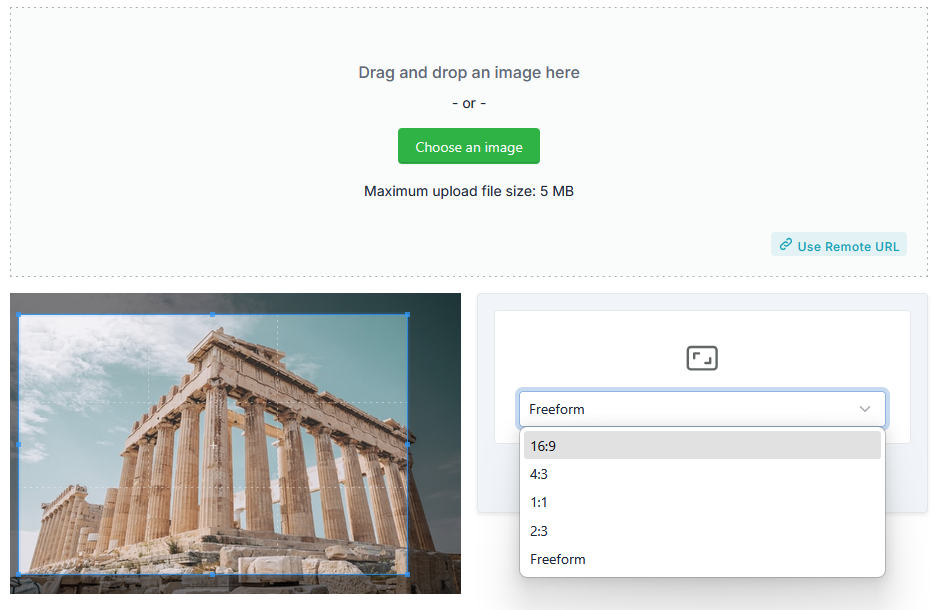
Aspect Ratio Options Explained
- Freeform – Crop any custom size
- 16:9 – Perfect for YouTube and widescreen
- 4:3 – Standard display format
- 1:1 – Ideal for Instagram posts
- 2:3 – Common for photography prints
These options help you create images optimized for different platforms.
Why Use Image Cropper?
Images often contain unnecessary areas. The Image Cropper helps you refine your visuals.
- Remove unwanted parts
- Focus on important content
- Improve composition
- Optimize for social media
- Prepare images for websites
In addition, cropping improves image clarity and presentation.
How This Tool Helps You
This Image Cropper simplifies editing tasks.
- Crop image instantly
- Select custom or preset sizes
- Preview before download
- Improve workflow efficiency
Key Features of Image Cropper Tool
- Crop image with precision
- Supports multiple aspect ratios
- Freeform cropping option
- Preview before download
- Supports upload and remote URL
- High-quality output
- Fast processing
- No signup required
Who Should Use This Tool?
- Graphic designers
- Photographers
- Social media creators
- Web developers
- Students and professionals
Related Tools
Frequently Asked Questions
What does crop image mean?
It means trimming unwanted parts of an image.
Is this Image Cropper tool free?
Yes, it is completely free.
Can I crop using custom size?
Yes, the freeform option allows custom cropping.
Will image quality be affected?
No, the tool maintains high-quality output.
Final Thoughts
The Image Cropper is an essential tool to crop image quickly and efficiently. It provides flexible cropping options, high-quality output, and instant results.
Use this tool now to crop your images and enhance your visuals.
