 English
 العربية
 বাংলা
বাংলা
 Deutsch
 Español
 Français
 Italiano
 Português
 Русский
 Türkçe
 Tiếng Việt

Image to Base64
Convert images into Base64 code and use them in HTML and CSS instantly






Convert Image to Base64 Instantly
The Image to Base64 Converter is a powerful and free online tool that helps you convert image to Base64 string instantly. You can upload your image and get encoded Base64 output ready to use in HTML or CSS.
This tool is ideal for developers, designers, and anyone working with web performance optimization.
What is Base64 Encoding?
Base64 encoding is a method of converting binary data, such as images, into a text string format. This allows images to be embedded directly into web pages without using external files.
It is commonly used in web development for faster loading and fewer HTTP requests.
What is Image to Base64 Converter?
The Image to Base64 Converter is a tool that converts image files (PNG, JPG, GIF, etc.) into Base64 encoded strings. These strings can be used directly in HTML and CSS.
This helps streamline web development and improve performance.
How to Use Image to Base64 Tool
- Upload your image (maximum size: 5 MB)
- Click the Convert button
- Wait for encoding
- Copy Base64 output from result boxes
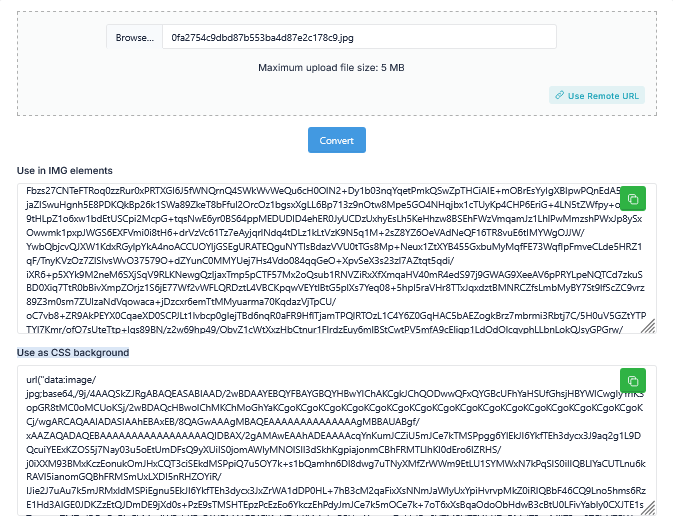
Output Options
The Image to Base64 tool provides two ready-to-use formats:
- Use in IMG elements – Embed directly in HTML image tag
- Use as CSS background – Apply as background image in CSS
Why Use Image to Base64?
Using Base64 images offers several advantages in web development.
- Reduce HTTP requests
- Improve page loading speed
- Embed images directly in code
- Enhance performance for small images
- Simplify asset management
However, it is best used for small images to avoid large file sizes.
How This Tool Helps You
This Image to Base64 Converter simplifies encoding tasks.
- Convert image to Base64 instantly
- Copy ready-to-use code
- Use in HTML and CSS directly
- Improve development workflow
Key Features of Image to Base64 Tool
- Fast image to Base64 conversion
- Supports multiple image formats
- Provides HTML and CSS output
- Copyable result boxes
- Supports up to 5 MB upload
- User-friendly interface
- No signup required
Who Should Use This Tool?
- Web developers
- Frontend developers
- UI/UX designers
- Digital marketers
- Website owners
Related Tools
Frequently Asked Questions
What is Image to Base64 used for?
It converts images into text format for embedding in HTML and CSS.
Is this tool free?
Yes, the Image to Base64 tool is completely free.
Can I use Base64 in CSS?
Yes, you can use Base64 as a background image in CSS.
Does Base64 improve performance?
It reduces HTTP requests but should be used for small images only.
Final Thoughts
The Image to Base64 Converter is an essential tool to convert image to Base64 and embed images directly into your code. It improves performance and simplifies development.
Use this tool now to generate Base64 code for your images instantly.